Manage PBE notifications
Notifications are managed through the Windows operating system, similar to other application notifications.
This section explains the following in detail:
Types of PBE Notifications
| Notification Type | Event | Description | Screenshot |
|---|---|---|---|
| PBE connected | Establishing PBE connection. | Notifies users when a PBE connection is established |
.png)
|
| PBE disconnected | Losing PBE connection | Notifies users when a PBE connection is not established. |
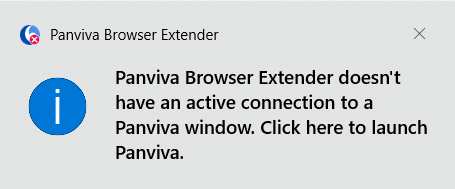
|
Troubleshooting PBE notification issues
If you are not receiving PBE connection notifications, consider the following potential causes:
-
Do not disturb is enabled in Windows notification settings.
-
Windows Notifications are turned off
-
Panviva Browser Extender notifications are disabled in Windows settings.
-
You are using the application in Incognito mode in your web browser.
System Notifications (Do not disturb)
Notification pop-ups from the system tray will only appear if Do not disturb is turned off.
If Do not disturb is enabled, PBE notifications will not be displayed.
To turn off Do not disturb::
-
Right-click the clock/date on the bottom right-hand corner of your desktop.
-
From the menu,select Notification Settings.'
-
In the Settings window, locate Do not disturb and toggle to Off.
Note: Do not disturb has replaced the earlier Focus Assist functionality in newer versions of Windows.
For more information, see Windows notifications and Do not disturb in Microsoft Support.
Activate/ Deactivate PBE notifications
Users can deactivate PBE notifications as follows:
-
Select Notifications
 from the bottom right corner of the windows taskbar.
 -
Hover the mouse over a notification to display the Settings
 icon.
icon. -
Select Settings
. -
Select Go to Notification Settings from the context menu as shown below:
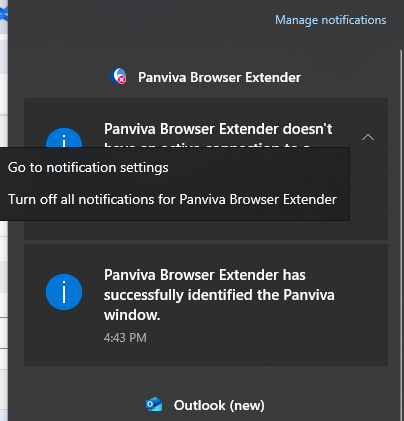
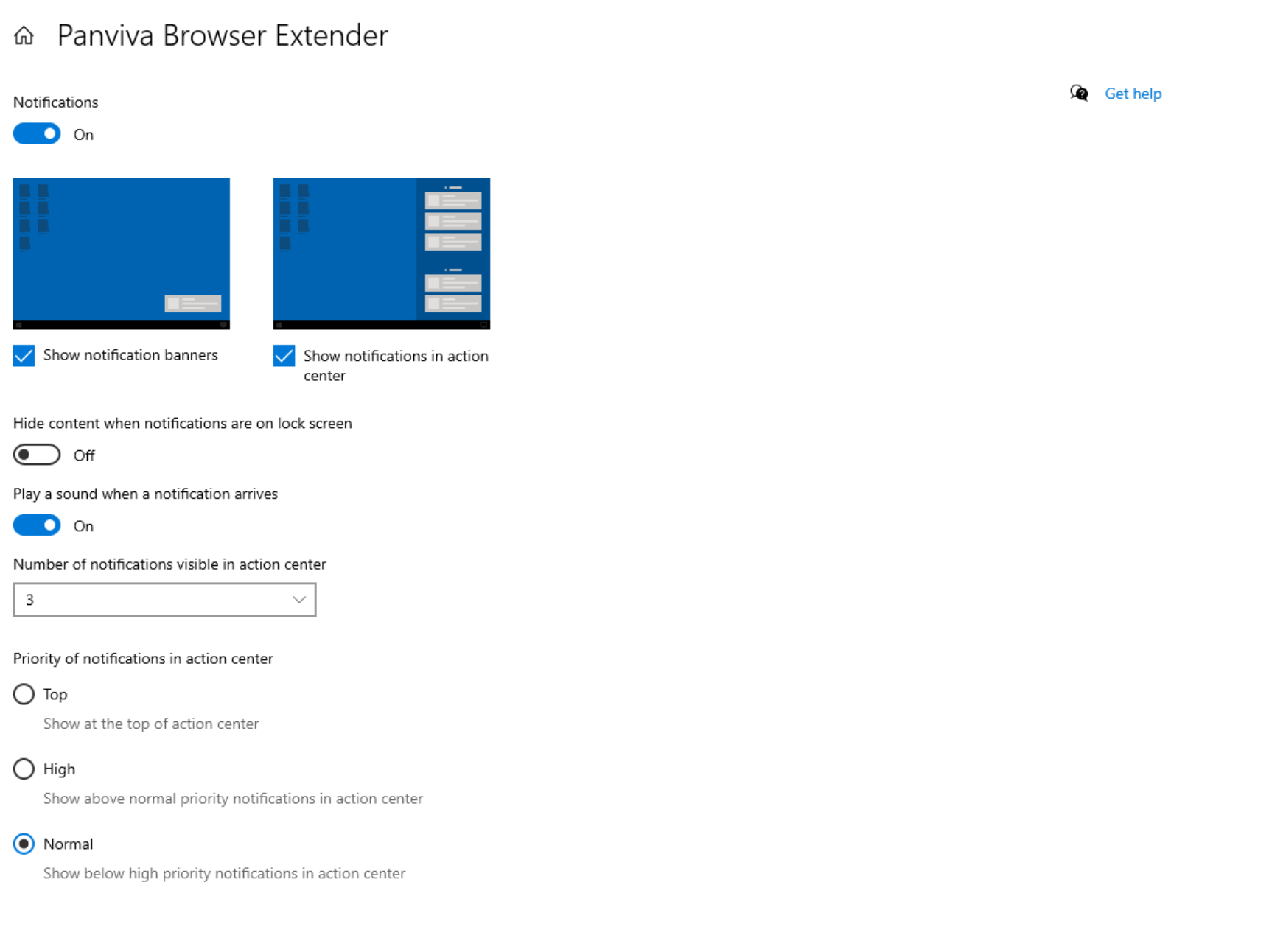
Panviva Browser Extender page appears as shown below:
-
Customize the notification preferences according to your needs.
Note: To receive notifications from PBE, it is required to toggle the browser notifications to ON.
For more information on changing notification settings in windows see, Change notification settings in windows.